
To add a contact to an opportunity in HubSpot, open the Opportunity record, use the Associated Contacts section to search for and select an existing contact, then apply an association label that describes the contact's role before saving.
Add a contact to an opportunity
- Navigate to the Opportunity (Deal) that needs an additional contact associated with it.
- Open the Opportunity record.
- In the right-hand panel, locate the Associated Contacts section and click + Add.
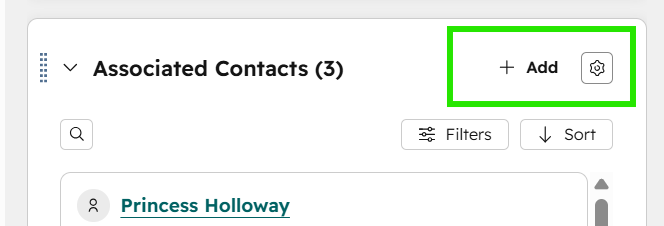
Search for an existing contact
Before creating a new contact, search HubSpot to determine whether the contact already exists.
- Enter the contact's name, email address, or phone number in the search field.
- If the contact is found, select the contact.
- Click Next at the bottom of the screen.
Note: If the contact does not exist, create the contact record before associating it with the Opportunity.
Apply an association label
Association labels identify the contact's role and relationship to the opportunity, and are used in reporting, automation, and record management.
- Click + Add Association Label.
- Select the association label that best describes the contact's relationship to the Opportunity.
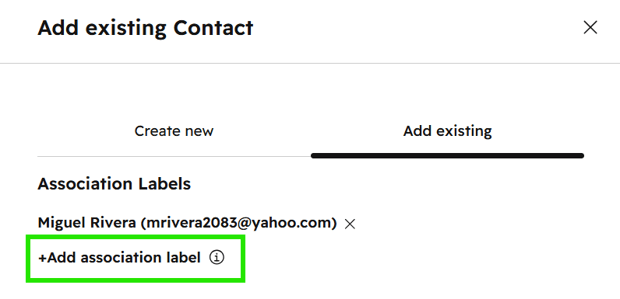
Common labels include:
- Buyer 2
- Buyer 3
- Lender
- Real Estate Professional
- Click Save at the bottom of the screen.
Note: Taking a moment to apply the right label here keeps reporting clean and lets automation run without manual correction later.
Expected Result
Once saved, the contact appears in the Associated Contacts section of the opportunity with the selected label applied. The contact is now properly identified in HubSpot reporting and automated workflows.