
Step 1: Open the Contact Record
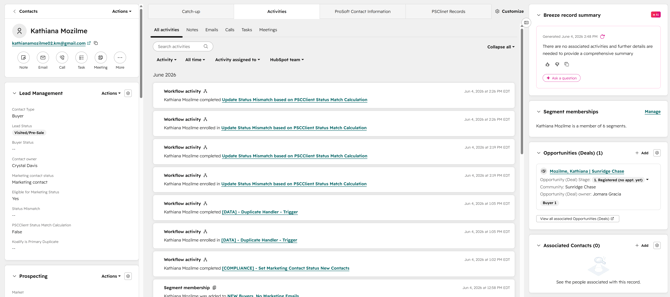
In HubSpot, search for and open the existing contact record.
This is the person the new Sales Opportunity should be associated with.
Step 2: Add a New Opportunity
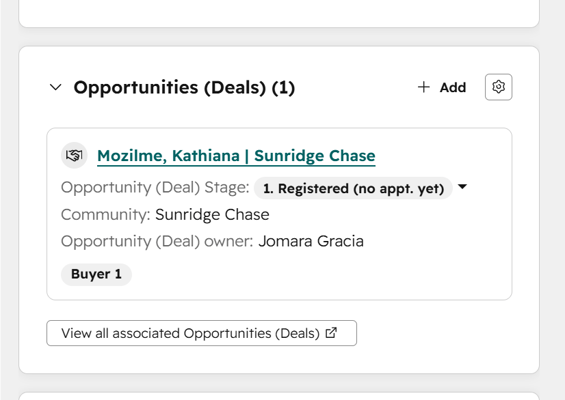
In the right-hand column, locate the Opportunities (Deals) section and click + Add.
Step 3: Enter the Opportunity Information
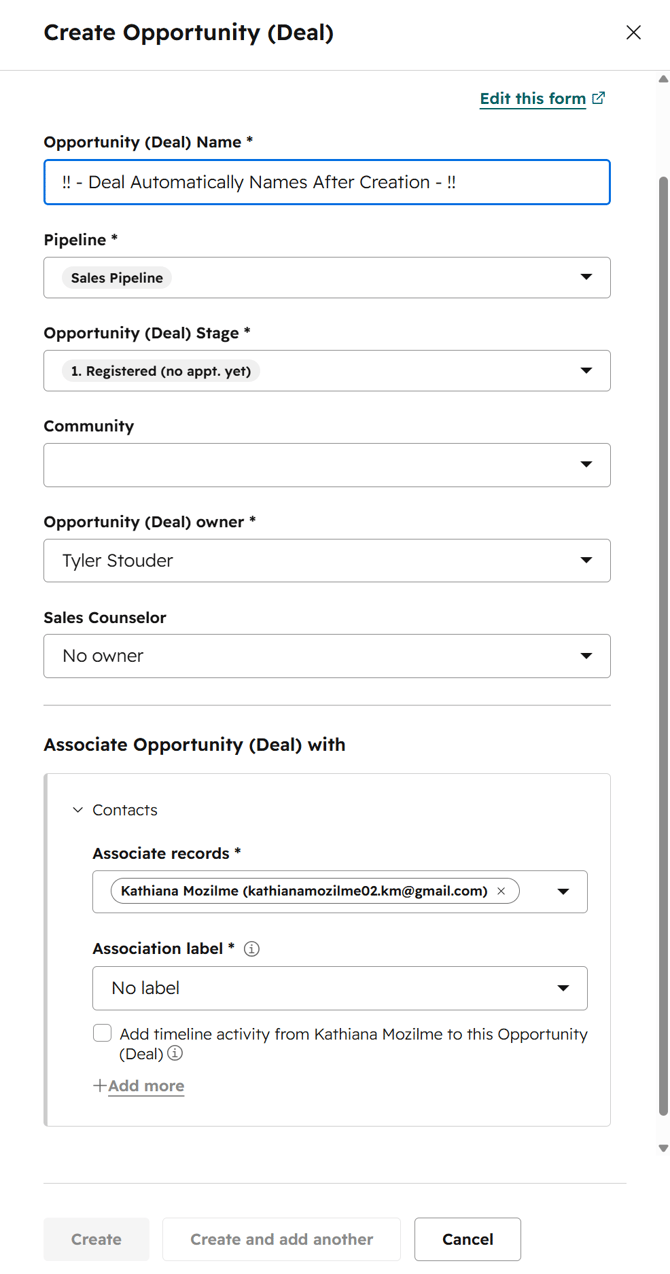
Fill out all required opportunity details in the form that appears.
You do not need to manually set the deal name. The system will automatically rename the opportunity using this format:
Last name, First name of buyer | Community
Step 4: Set the Association Label
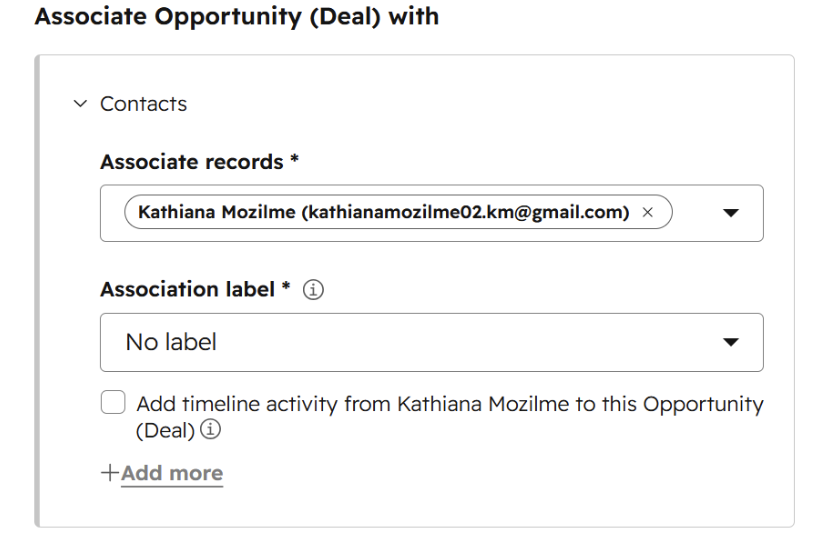
Before saving, make sure the correct Association label is selected.
The Association label identifies the contact’s relationship to the Sales Opportunity — for example: Buyer, Co-Buyer, or another applicable role. Selecting the correct label ensures the opportunity is properly attributed in your pipeline.
Step 5: Save the Opportunity
Review all entered information, then click Save to create the new Sales Opportunity.
Once saved, the Sales Opportunity will be linked to the contact record and will appear in the contact's activity timeline, where your team can manage it going forward.